

Duplicate the selected printer refers to creating a duplicate object of selected Printer Settings as Figure 1.
Option 1: Add printer in Printer > Printer Settings.
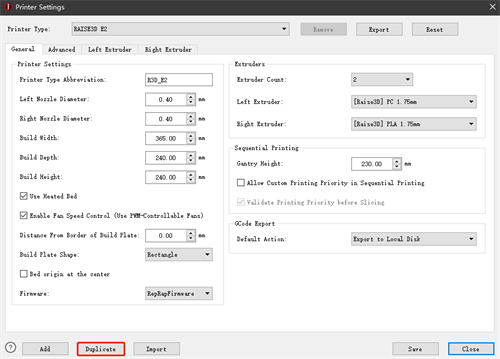
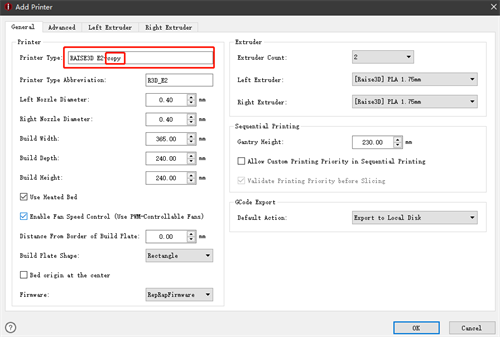
Figure 1: Duplicate the Selected Printer.
Option 2: Enter Select template tab and click gear icon.
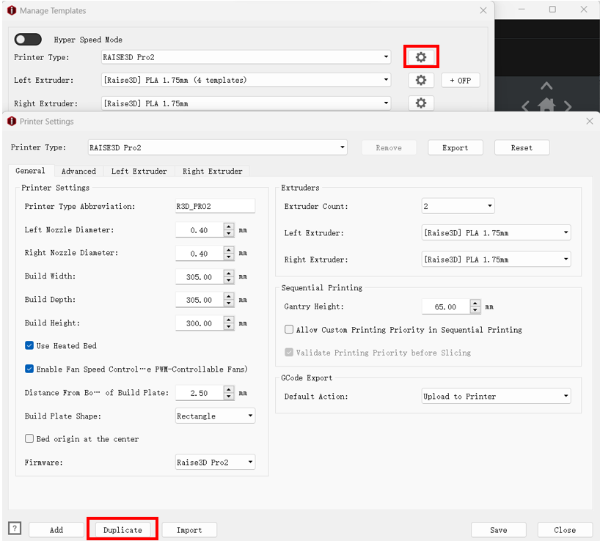
Figure 2: Duplicate the Selected Printer.
-END-
