

If you are using the a Raise3D N Series printer with a V2 hot end, please select both printer and filament as V2. If you are not using a V2 hot end, make sure both are selected as standard profiles.
Note:
1.Hyper Speed Mode is only applicable to ideaMaker 4.4.0 Alpha and above.
2.Hyper Speed Mode refers that with this function enabled, ideaMaker will enter Hyper Speed Mode. Suitable printers include: Raise3D Pro3, Raise3D Pro3 Plus, Raise3D Pro2, Raise3D Pro2 Plus. With Raise3D’s Hyper FFF technology, the printing speed of a Pro2 Series 3D printer will be boosted from an average of 50-80mm/s to 100-150mm/s, and acceleration is boosted from 1,000 mm/s² to 5000 mm/s², and the printing speed of a Pro3 Series 3D printer will be boosted from an average of 50-80mm/s to 200-350mm/s, and acceleration is boosted from 1,000 mm/s² to 10,000 mm/s², with no loss of accuracy or part quality.
3.For now, we release seven filaments for you to use, including Hyper Speed PLA, Hyper Speed ABS, Premium PLA, Premium ABS, Premium ASA, Premium PC and Premium PETG.
For more details, please refers to Hyper FFF™-How Does ideaMaker Match Each Level of Template in Hyper Speed Mode.
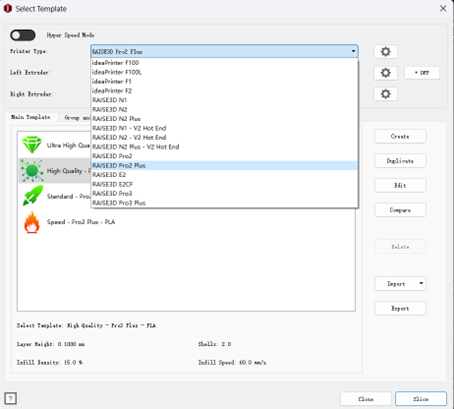
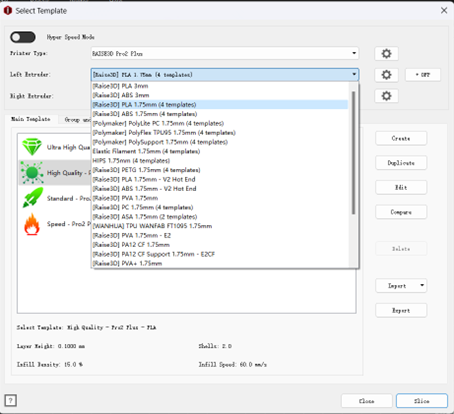
Figure 1: Select the printer and filament you want to use in Standard Mode.
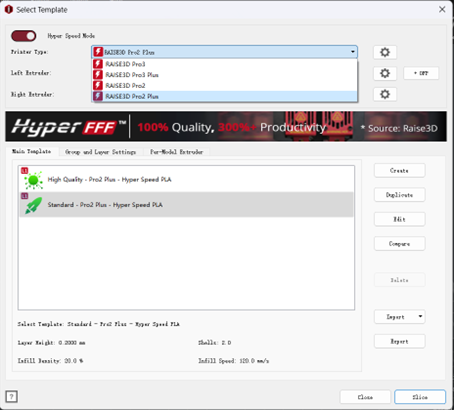
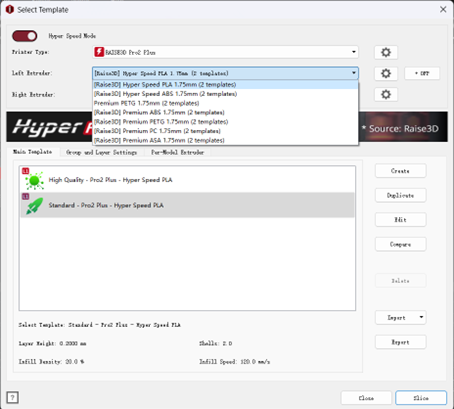
Figure 2: Select the printer and filament you want to use in Hyper Speed Mode.
-END-
